 InsightHubFor Bricks Builder
Forms, bookings and leads — right inside Bricks Builder.
The free SG5 InsightHub plugin adds two elements and a form action to Bricks: you place forms and the booking calendar like any other element, and your existing Bricks forms send every submission to InsightHub as a lead. On static copies of your site too.
The plugin is free; forms, bookings and leads run on your InsightHub account.
Four things you get
in Bricks.
All of it from the SG5 InsightHub plugin you install from WordPress.org today. You build forms and booking types in InsightHub and place them on the page in Bricks.
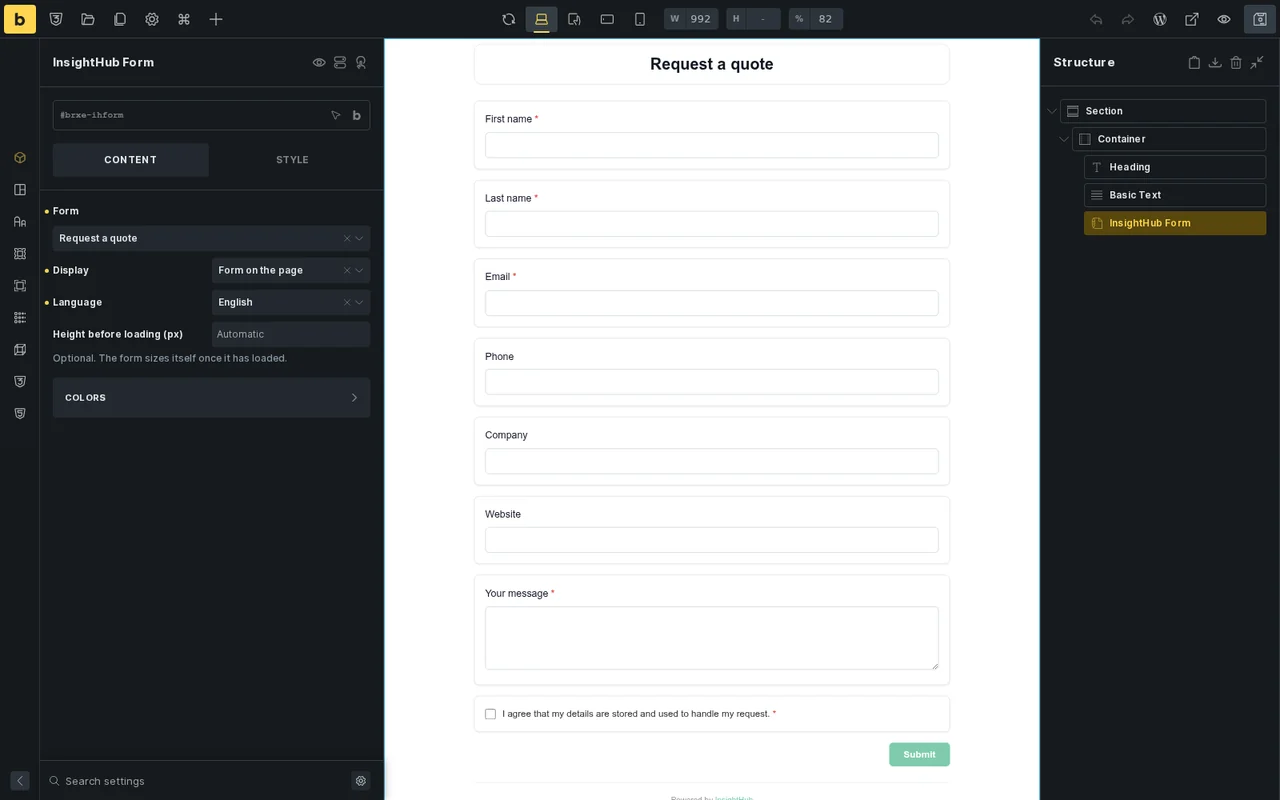
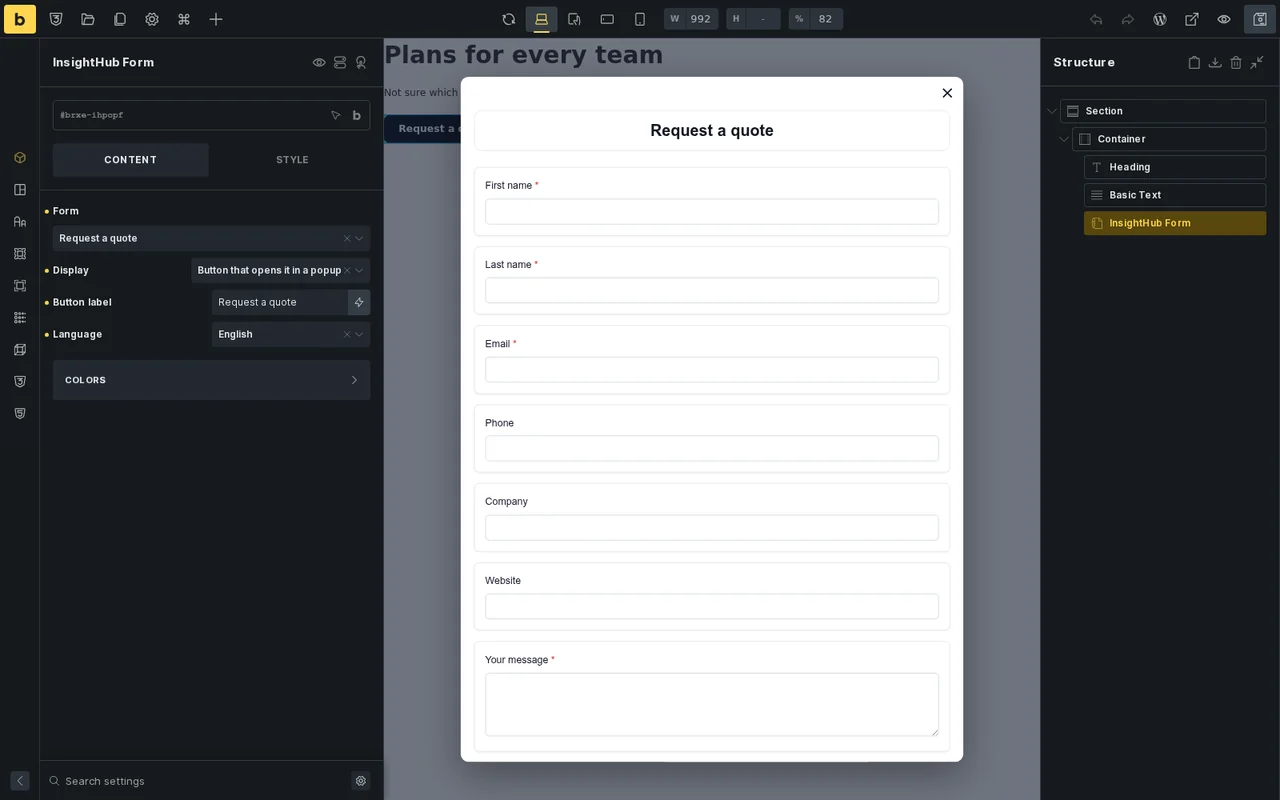
The InsightHub Form element
- Pick a form from InsightHub — the element lists your site's published forms.
- Inline or as a popup — the form sits on the page, or a button with your label opens it in a popup.
- Language and your own CSS classes — you pick the language in the element; your CSS classes from Bricks stay on the page.
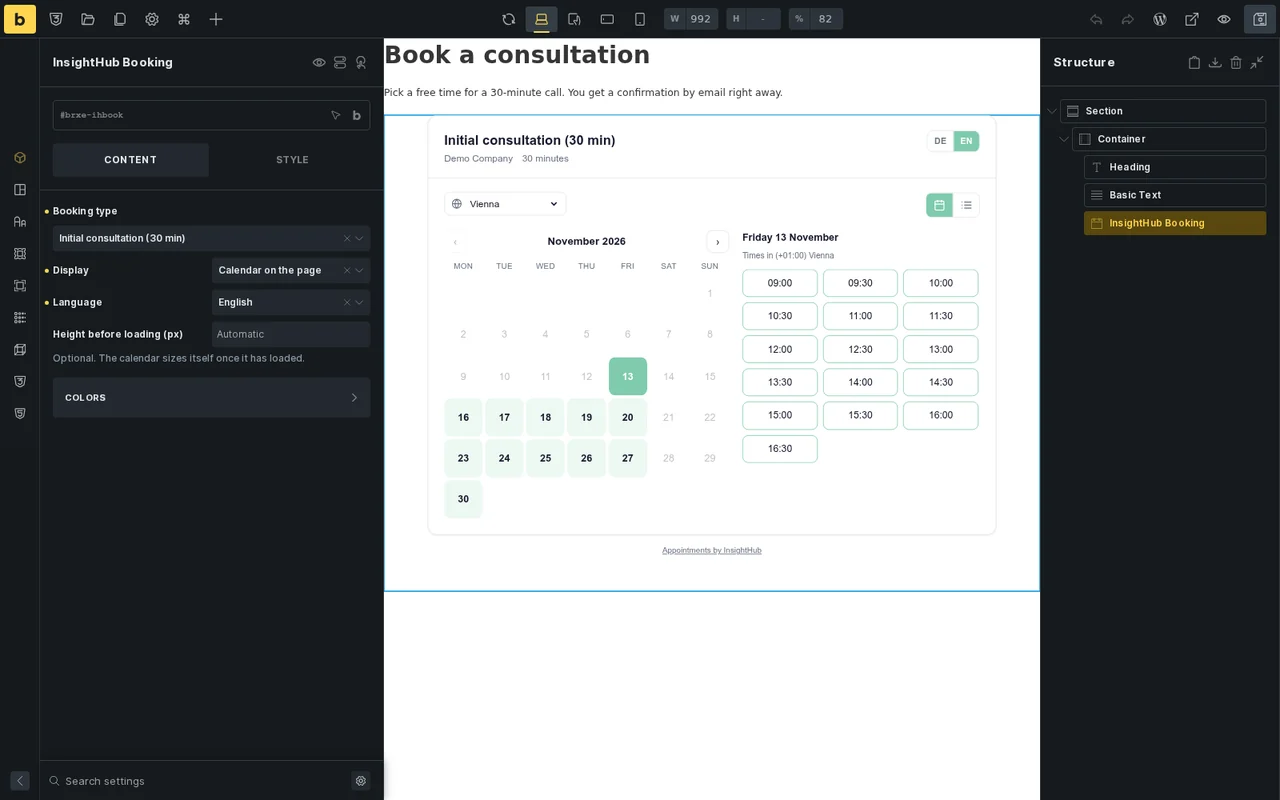
The InsightHub Booking element
- Pick a booking type — visitors see the free times and book themselves.
- Inline or as a popup — the calendar on the page or behind a button with your label.
- Colours from Bricks — colour the calendar and the popup button with the builder's own colours.
- Confirmation and reminders — booking confirmations, reminder emails and meeting links come from InsightHub.
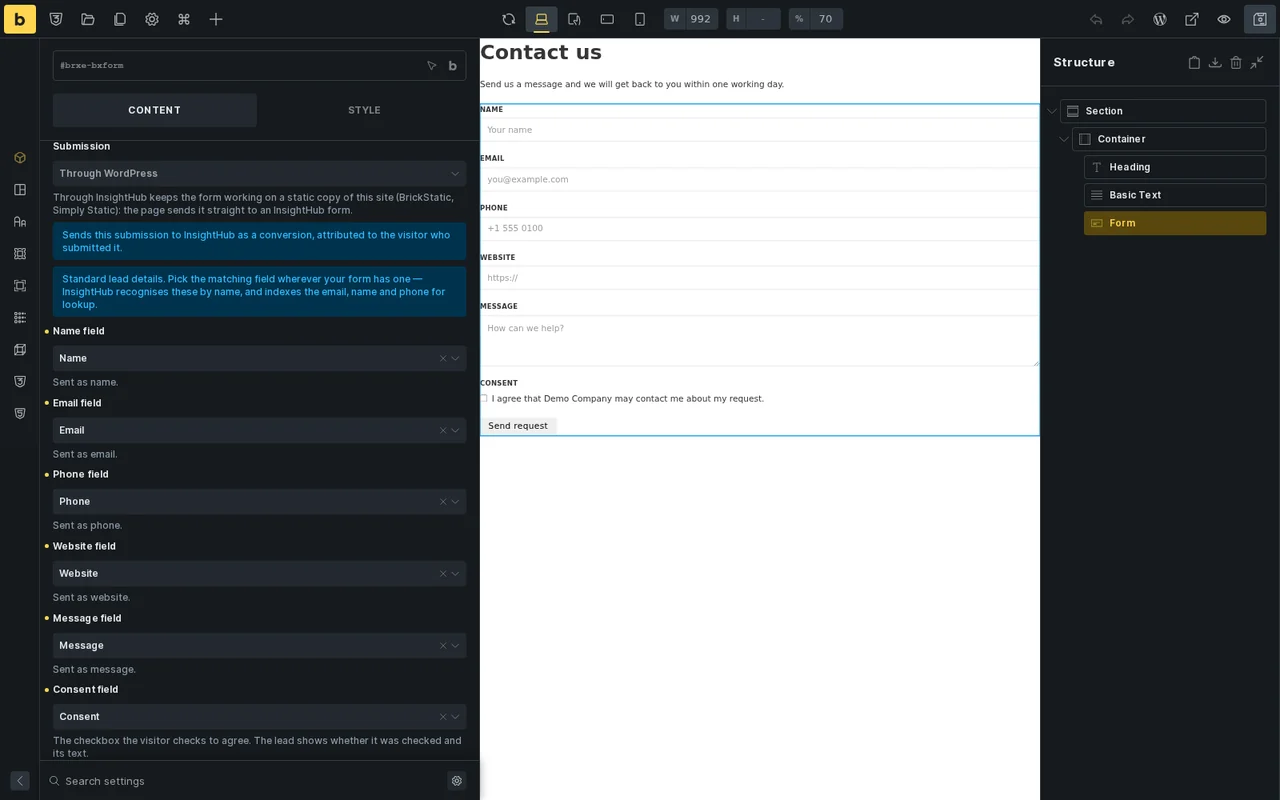
An action for your Bricks forms
- One action is enough — your existing Bricks form sends its submissions to InsightHub; nothing to rebuild.
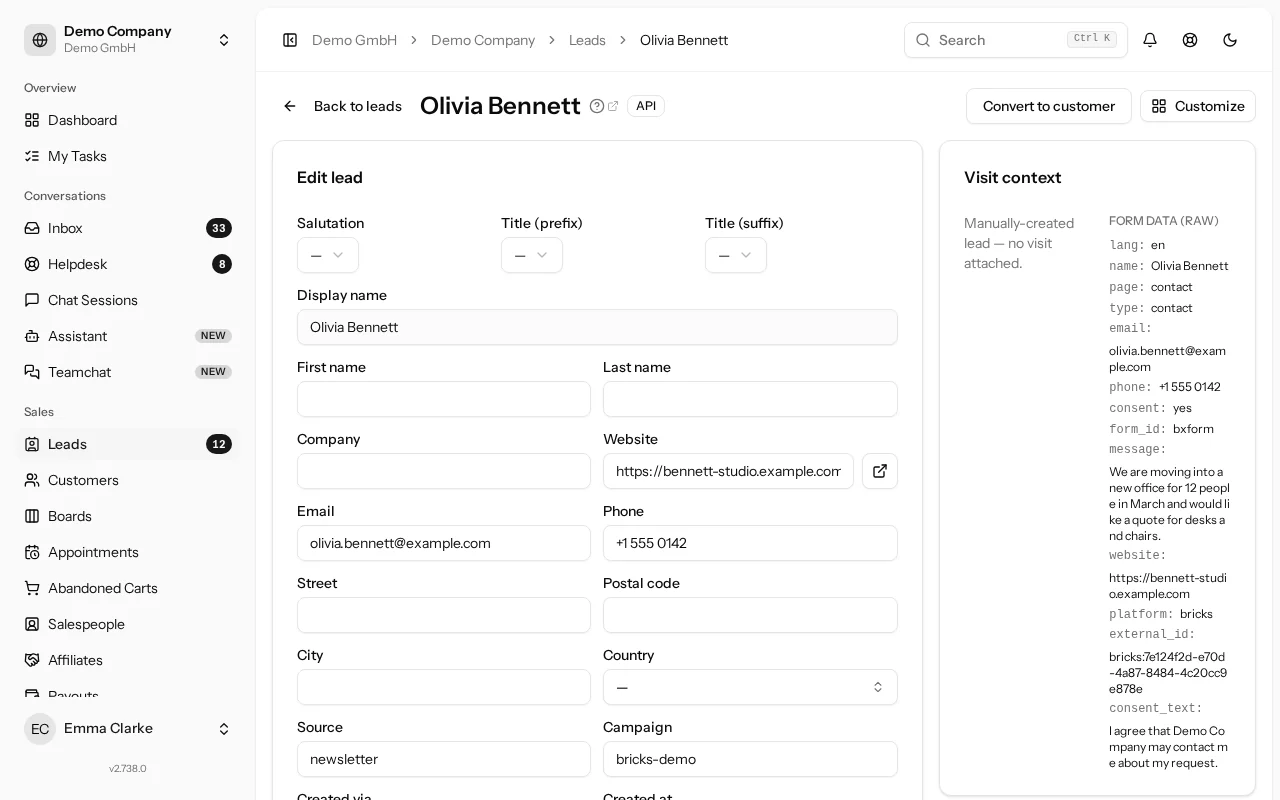
- Every submission a lead — map the name, email, phone, website and message; other fields go to custom fields of the same key.
- With consent — the lead shows whether the consent checkbox was checked, and its text.
- With its source — the lead knows the page and the campaign the visitor came from.
On static copies too
- BrickStatic and Simply Static — the form and booking elements work on static copies of your site.
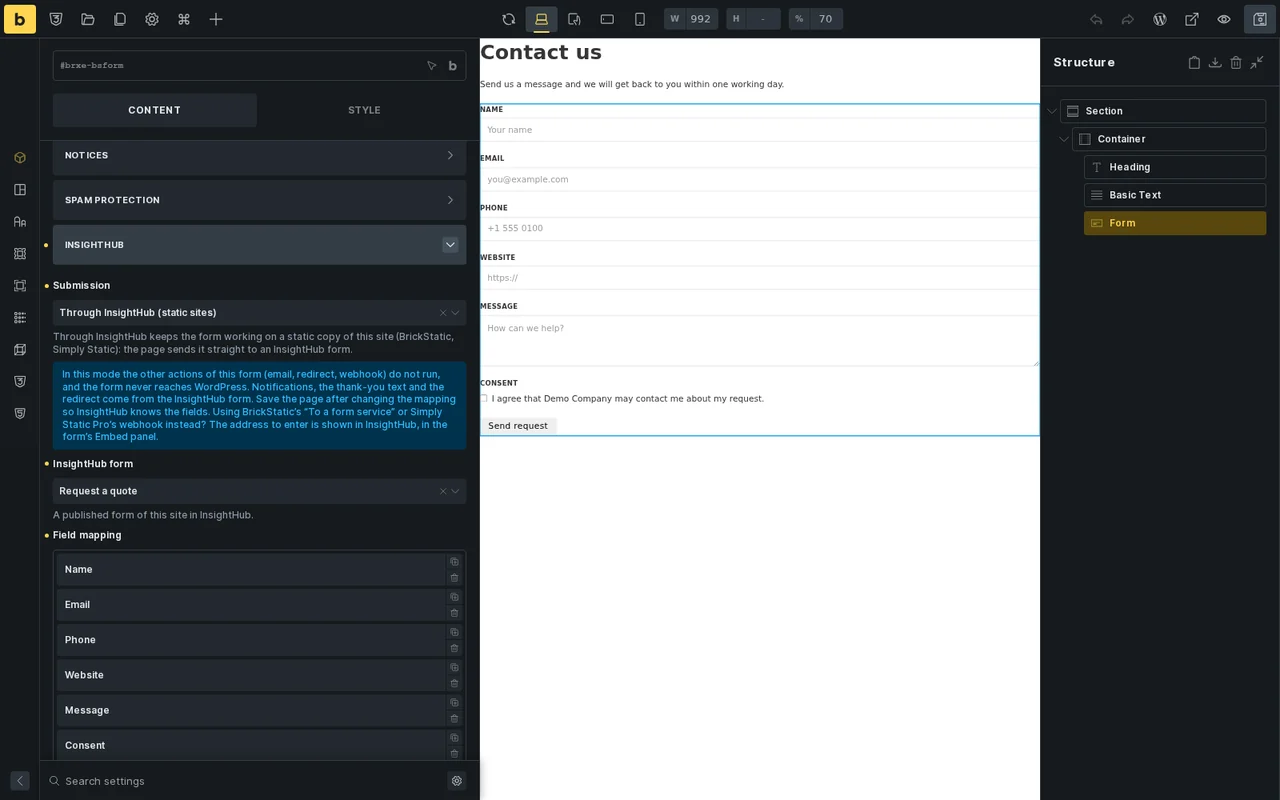
- Forms Through InsightHub — set a Bricks form's action to Through InsightHub, pick a published InsightHub form and map the fields: the form sends straight from the browser to InsightHub, without WordPress.
- Simply Static Pro — its form connection takes over every Bricks form; the plugin warns while it is on and never changes your Simply Static settings.
This is how it looks in Bricks.
What else InsightHub
does for your site.
The plugin connects your whole site to InsightHub. The details are on their own pages.
AI search and chat
An assistant that advises visitors from your own content, and a search that understands typos and synonyms.
Leads with their source
Every enquiry from forms, chat, WhatsApp, email and phone in one list, with campaign and assignees.
Bookings
Booking types, calendar sync with Google, Microsoft 365 or Apple, reminders and meeting links.
WooCommerce
Order status in the chat, recovering abandoned carts, a review slider and a post-purchase banner.
Into Bricks in three steps.
No ZIP, no FTP: the plugin comes from the WordPress.org directory and updates like any other plugin.
Install the plugin
In the WordPress admin go to Plugins → Add New, search for "SG5 InsightHub", install and activate it.
WordPress.orgConnect your account
Open InsightHub in the admin menu. The setup wizard connects your InsightHub account with its API key.
Setup wizardUse it in Bricks
The InsightHub Form and InsightHub Booking elements sit in their own InsightHub category; the action is in the form element under Actions.
Bricks BuilderSG5 Digital Solutions, the team behind InsightHub, is listed as a Bricks Expert (new tab) and builds websites with Bricks itself.
In short.
Do I need an InsightHub account?
Yes. Forms, bookings and leads run on InsightHub; the plugin connects your site with your account's API key. You can start with a free trial.
Do I have to rebuild my Bricks forms?
No. Add the InsightHub action to your existing Bricks form and map its fields. Every submission becomes a lead in InsightHub, not an entry under Forms.
Does it work on a static copy of my site?
Yes. The elements work on static copies made with BrickStatic or Simply Static. For a Bricks form, set the InsightHub action's Submission to Through InsightHub, pick a published InsightHub form, map the fields and save the page. If the static copy keeps sending forms through WordPress instead, add a hidden field named ih_vid so the lead keeps the visitor's campaign.
What about Simply Static Pro?
Its form connection (Simply Static → Settings → Forms → Use forms?) takes over every Bricks form on the WordPress site, so forms sent Through WordPress stop there: switch it off for InsightHub forms. The plugin shows a warning while it is on and never changes your Simply Static settings.
What does the form action send to InsightHub?
The fields you mapped, whether the consent checkbox was checked and its text, the page and campaign the submission came from, and the visitor's IP address. With conversion tracking on, the browser identification (user agent) as well.
Is this an official Bricks product?
No. InsightHub and the SG5 InsightHub plugin are products of SG5 Digital Solutions, developed independently for websites built with Bricks.
Forms and bookings in Bricks — starting today.
Install the plugin from WordPress.org and try InsightHub for 14 days without a credit card.
Your trial environment — ready in minutes.
No technical knowledge needed — connect your shop or website in a few clicks. 14-day trial, no credit card, no commitment.
- 1Send the form — shop URL and platform are enough.
- 2You receive your login details by email — and get started.
- 3You connect your shop — catalog, FAQs and content are indexed automatically.
🔒 GDPR-compliant — hosting and AI processing in Europe.
Bricks is a registered trademark of CODEER LTD. InsightHub is an independently developed product of SG5 Digital Solutions and is not affiliated with or endorsed by CODEER LTD.